Discord



'/%3e%3c/g%3e%3cdefs%3e%3clinearGradient%20id='paint0_linear_91_7909'%20x1='2.80579'%20y1='2.93848'%20x2='14.3838'%20y2='4.55824'%20gradientUnits='userSpaceOnUse'%3e%3cstop%20stop-color='%231198B9'/%3e%3cstop%20offset='0.0001'%20stop-color='%230F9DB8'/%3e%3cstop%20offset='1'%20stop-color='%232468C0'/%3e%3c/linearGradient%3e%3c/defs%3e%3c/svg%3e)
'/%3e%3c/g%3e%3cdefs%3e%3clinearGradient%20id='paint0_linear_91_7889'%20x1='4.20874'%20y1='4.40771'%20x2='21.5757'%20y2='6.83736'%20gradientUnits='userSpaceOnUse'%3e%3cstop%20stop-color='%231198B9'/%3e%3cstop%20offset='0.0001'%20stop-color='%230F9DB8'/%3e%3cstop%20offset='1'%20stop-color='%232468C0'/%3e%3c/linearGradient%3e%3c/defs%3e%3c/svg%3e)



















Most VPS pricing pages will tell you how many vCPUs you get and almost none of them will tell you what those vCPUs are. That omission is deliberate, because the gap between an eight-year-old Xeon core and a current AMD EPYC core is large enough that a plan with half the core count can finish the job first.
EPYC took over the hosting market for unglamorous reasons: high core counts per socket, a lot of memory bandwidth, and enough PCIe lanes to hang NVMe off every node without the storage becoming the bottleneck. That combination is why a provider running EPYC can sell you a fast core cheaply, and why providers still shipping older Intel platforms have to compete on core count instead of core quality.
This is a ranking of ten providers on how they handle EPYC specifically: whether it is the default or an upsell, whether the vCPU is shared or dedicated, and whether they will tell you which generation you landed on. We are CloudBlast, every plan we sell is EPYC, and we are first on this list. There is a section at the end on verifying any of it yourself in about two minutes.
How We Ranked These Providers
Is EPYC the default or a tier? Some providers put it under everything. Others keep it for a "high performance" line and leave older Intel silicon under the cheap plans, where most people buy.
Shared or dedicated vCPU. A shared core is a slice of a physical core with neighbours on it. A dedicated vCPU is yours. Both can be EPYC and they perform nothing alike under load.
Do they publish the generation? Rome, Milan, Genoa and Turin are different products with different per-core performance. Very few providers say which one you are getting, and the ones that do deserve credit.
What the CPU is paired with. EPYC behind SATA SSD storage is a waste of the platform. NVMe and a fast port are what turn core quality into throughput you can measure.
Price per real core. Not per vCPU. A dedicated EPYC core at $36/mo and a shared EPYC slice at $4/mo are both defensible and they are not the same purchase.
We did not rank on benchmark scores published by the providers themselves. Run your own, the instructions are at the bottom.
Quick Comparison
Indicative entry pricing as of September 2026.
| Provider | EPYC availability | vCPU type on entry plan | Storage | Entry price |
|---|---|---|---|---|
| CloudBlast | Every plan | Shared EPYC | NVMe | €3.60/mo |
| Hetzner Cloud | CPX and CCX lines | Shared (CPX), dedicated (CCX) | NVMe | from €19.49/mo (CPX22) |
| Vultr | High Performance and above | Shared EPYC | NVMe | from about $6/mo |
| Scaleway | Several instance families | Shared or dedicated by family | NVMe | from about €0.01/h |
| Contabo | Most current plans | Shared | NVMe | $4.95/mo |
| netcup | G11 generation plans | Shared | SSD and NVMe by plan | about €9.66/mo |
| UpCloud | Most plans | Shared | NVMe (MaxIOPS) | from about €4/mo |
| Cherry Servers | Bare metal EPYC | Whole physical CPU | NVMe | from about $80/mo |
| Hivelocity | Bare metal EPYC | Whole physical CPU | NVMe | varies by build |
| RamNode | Premium plans | Shared | NVMe | from about $5/mo |
1. CloudBlast
Best for: EPYC on every plan with no performance tier to upgrade into, at a price that usually buys you last-generation Intel elsewhere.
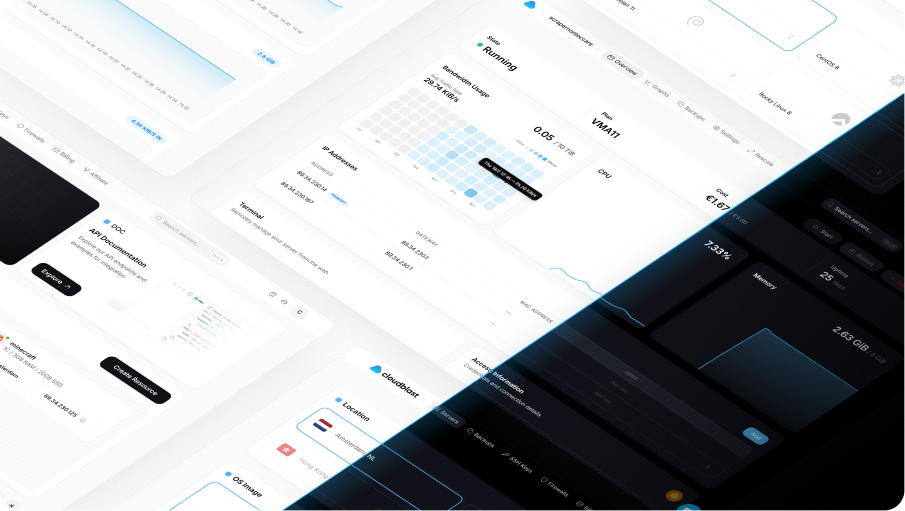
Entry plan: VMA11, 1 AMD EPYC core, 3 GB RAM, 20 GB NVMe, €3.60/mo or €0.0058/h.
There is one hardware specification here and it applies to all eight plans, from the €3.60 VMA11 up to the VMA81 with 16 cores and 64 GB of RAM. AMD EPYC, NVMe storage, a 10 Gbps port. We do not run a cheap tier on older silicon, because the point of a narrow product line is that you cannot accidentally buy the wrong version of it.
This matters most at the bottom of the range. The €3 to €5 bracket across the industry is where old hardware goes to be resold, and a plan at that price on shared Intel cores with SATA SSDs is a genuinely different machine from an EPYC core on NVMe, in ways sysbench will show you inside a minute. Buying the entry tier here gets you the same platform our largest plan runs on, with less of it.
The pairing is the other half. EPYC has the PCIe lanes to feed NVMe properly, and there is no point having either if the network is the bottleneck, so every plan gets a 10 Gbps port with 5 TB of traffic a month on the three smallest plans and 10 TB from the VMA41 up, in Amsterdam, Salt Lake City and Birmingham (Hong Kong is capped lower, from 500 GB up to 3 TB). DDoS mitigation with up to 2.5 Tbps of scrubbing capacity is included. Billing is hourly on every plan, which makes benchmarking cheap: spin one up, run your own numbers, destroy it, pay a cent.
What we like: EPYC and NVMe on every tier with no upsell, hourly billing that makes testing nearly free, 10 Gbps with 5 to 10 TB of traffic included, DDoS included, API and MCP server for automated provisioning.
What to watch: vCPUs on our standard plans are shared, not dedicated, so a neighbour running a sustained compile affects you at the margins. If you need guaranteed dedicated cores for a latency-critical workload, a bare metal EPYC provider further down this list is the right purchase. Four regions, not thirty.
2. Hetzner Cloud
Best for: dedicated EPYC vCPUs with the best API in the business, if the 2026 pricing still works for you.
Hetzner splits its lineup by silicon: CX is Intel shared, CAX is Arm (Ampere), CPX is AMD shared and CCX is AMD dedicated. The CCX line is the one to look at if you need dedicated cores, and it is genuinely good hardware with genuinely good tooling around it.
The pricing changed sharply on 15 June 2026 and the AMD lines were hit hardest. CPX22 went from €7.99 to €19.49 a month, CPX32 from €13.99 to €35.49, and the dedicated CCX tiers rose between 2.1x and 2.7x depending on the line and region. The hardware did not get worse and the value proposition did. If your reason for choosing Hetzner is the Terraform provider, the private networking and the load balancers, that reason still holds. If it was price per EPYC core, it no longer does.
What we like: clear separation between shared and dedicated AMD lines, best-in-class API and Terraform provider, NVMe throughout, 20 TB included traffic on EU instances.
What to watch: the June 2026 increase makes CPX and CCX hard to justify on price alone. Arm CAX plans are now the value line, which is a different architecture with different software implications.
3. Vultr
Best for: EPYC in a specific city, from a catalogue that also covers bare metal and GPU.
Vultr's tier naming is the thing to understand before you buy. Regular Performance from $2.50/mo is shared Intel with SATA SSDs. High Performance and High Frequency start around $6/mo and are where AMD EPYC or high-clock Xeon with NVMe lives. The $2.50 plan is not a cheaper version of the $6 plan, it is a different machine.
Once you are on the right tier, the offering is strong: more than thirty locations, hourly billing with a 672-hour monthly cap, and the ability to move from a shared instance to bare metal in the same panel when a workload outgrows the plan.
What we like: EPYC available in a very wide location list, bare metal and GPU alongside, hourly billing with a cap, clear upgrade path.
What to watch: the entry tier is not EPYC and the price comparison people make usually is. Bandwidth allowances on small plans are modest.
4. Scaleway
Best for: EPYC instances with true per-hour billing and an EU sovereignty story.
Scaleway runs several instance families, with AMD EPYC under a number of them and a choice between shared and dedicated core allocations depending on which you pick. The documentation is better than most at telling you what family maps to what hardware, which in this category is a real differentiator.
Billing is per hour across the whole stack, including the pieces attached to the instance: flexible IPs at €0.004/h, snapshots per GB per hour. That granularity suits ephemeral compute and makes monthly forecasting harder, because the compute line is only part of the bill. Stock in popular zones can be tight for the more desirable families.
What we like: real per-hour billing, documented instance families, French ownership and EU sovereignty, strong API and Terraform provider.
What to watch: every resource bills separately, availability constraints on popular families, support is a paid tier.
5. Contabo
Best for: the most EPYC-backed RAM and disk per euro, when consistent per-core performance is not the requirement.
Contabo's current plans run AMD with NVMe, and the value is unmatched on paper: 3 vCPU, 8 GB of RAM and 75 GB of NVMe for $4.95/mo. If your workload is memory-hungry rather than CPU-hungry, a self-hosted suite or a staging environment, this is the cheapest way to get there.
The caveat is contention. Contabo achieves its price by packing nodes, so per-core performance varies with what your neighbours are doing in a way that shows up clearly in a sysbench run repeated across a day. Add the 200 Mbit port and a monthly-only billing model and the profile is clear: excellent for capacity, unreliable for latency-sensitive compute.
What we like: AMD and NVMe at the lowest resource cost anywhere, no renewal increase, wide location list.
What to watch: variable per-core performance under contention, 200 Mbit port, no hourly billing, slow support.
6. netcup
Best for: generous German-hosted EPYC allocations, if you can live with contract terms.
netcup's G11 generation plans are AMD based, and the allocations are large: roughly 4 vCPU, 8 GB of RAM and 256 GB of storage for about €9.66/mo on a VPS 1000 G11. Unmetered traffic on a 2.5 Gbps shared uplink and a good uptime record round it out.
The product naming is the hard part. Generations run side by side, storage varies between SSD and NVMe by plan, and the price you pay depends on which voucher code was live that month. Read the specific plan page rather than the family page, and check the contract term before checkout, since setup fees appear on some lines.
What we like: large AMD allocations for the money, German data centres, unmetered on a wide shared uplink, solid reliability.
What to watch: confusing generation naming, storage type varies by plan, contract terms and setup fees, voucher-dependent pricing.
7. UpCloud
Best for: EPYC paired with the fastest storage layer in this price bracket.
UpCloud's differentiator has always been MaxIOPS storage rather than the CPU, and that is precisely why it belongs in an EPYC list. Core quality only matters until storage becomes the bottleneck, and if your workload is a database doing a lot of small random writes, UpCloud's storage architecture will beat a faster CPU on cheaper disks.
Plans start around €4/mo, billing is hourly with a monthly cap, and the API and Terraform support are good. The location list is mid-sized, covering the main European, US and APAC metros. It is a premium product at a mid-range price, and the trade is that you pay more per core than the value hosts here.
What we like: exceptional disk performance, hourly billing with a cap, good API, reliable network.
What to watch: more expensive per core than the value tier, mid-sized location list, storage is the headline rather than the CPU.
8. Cherry Servers
Best for: a whole physical EPYC CPU with no neighbours, provisioned like a cloud instance.
When shared vCPUs stop being acceptable, the answer is bare metal, and Cherry Servers sells it with an API and hourly options rather than the traditional multi-week procurement process. You get the entire CPU, all of its cache, all of its memory bandwidth, and no steal time at all.
Pricing starts around $80/mo for entry EPYC builds, which is an order of magnitude above a shared VPS and is the correct comparison only if you actually need dedicated silicon: sustained compilation, dense virtualisation, licensing tied to physical cores, or anything where p99 latency matters more than average throughput.
What we like: genuine dedicated EPYC hardware, API-driven provisioning, hourly options on some configurations, no noisy neighbours by definition.
What to watch: an order of magnitude more expensive than shared VPS, smaller location list, provisioning is minutes rather than seconds.
9. Hivelocity
Best for: custom EPYC bare metal with DDoS protection, in a lot of American cities.
Hivelocity is a bare metal provider first, with a wide US footprint and custom configurations rather than a fixed ladder. If your requirement is a specific EPYC generation, a specific core count and a specific amount of NVMe in a specific city, this is the sort of vendor that will quote it.
Pricing varies by build and by term, and the platform includes DDoS protection, which is worth noting since attack traffic hitting a dedicated box is otherwise your problem entirely. This is a procurement purchase, not a signup purchase. Expect a conversation.
What we like: custom EPYC configurations, wide US location list, DDoS protection included, bare metal and colocation from one vendor.
What to watch: configuration-dependent pricing, longer provisioning, minimum terms on the best rates, overkill for anything a VPS can do.
10. RamNode
Best for: small EPYC instances from a long-running independent host.
RamNode has been selling VPS since 2012, which in this market is close to geological time, and its premium plans pair AMD with NVMe from around $5/mo. The pitch is stability rather than novelty: modest location list, hourly billing, a panel that does what it says, and a support team small enough to be reachable.
There is no ecosystem here. No managed databases, no load balancer product, no Terraform provider worth building around. For a small production box on decent silicon from a host that has outlived most of its competitors, that is a reasonable trade.
What we like: long operating history, AMD with NVMe on premium plans, hourly billing, reachable support.
What to watch: small location list, no platform services, basic API, limited plan range at the top end.
Shared vCPU or Dedicated: Which One You Need
This distinction decides more about your experience than the CPU model does, and it is the one most people skip.
Shared vCPU means your virtual core is scheduled onto a physical core alongside other tenants. When they are idle, you get close to full performance. When they are not, you wait, and that wait shows as steal time. Shared is correct for web servers, APIs, small databases, staging, CI runners and the large majority of self-hosted applications, which spend most of their life waiting on the network anyway.
Dedicated vCPU means a physical core is reserved for your instance. No steal, consistent p99, and a price several times higher. Dedicated is correct for sustained compilation, video encoding, dense virtualisation, game servers where a frame budget exists, and any workload where the average is fine and the outliers are what hurt.
The test is simple. If your CPU graph is spiky and averages under 20%, shared is right and dedicated is money spent on idle time. If it sits above 50% for hours, you are the noisy neighbour, and dedicated is both faster for you and more polite to everybody else.
How to Verify What CPU You Actually Got
Two minutes on a fresh instance, and it costs about a cent if the provider bills hourly.
# What silicon is under this instance
lscpu | grep -E "Model name|Socket|Core|MHz"
cat /proc/cpuinfo | grep "model name" | head -1

# Steal time: the share of cycles taken by other tenants
vmstat 1 10        # watch the "st" column
top                # the %st figure on the CPU line

# Single-core and multi-core CPU throughput
sysbench cpu --cpu-max-prime=20000 --threads=1 run
sysbench cpu --cpu-max-prime=20000 --threads=$(nproc) run

# Disk, because EPYC on slow storage is a waste of EPYC
fio --name=randrw --ioengine=libaio --direct=1 --bs=4k \
    --iodepth=32 --size=1G --rw=randrw --rwmixread=70 --runtime=60

# Network, because both of the above are pointless behind a narrow port
iperf3 -c <a nearby public iperf server> -t 30
What to look for. Model name should contain "AMD EPYC" and often the model number, which tells you the generation. Sustained steal time above 5% means real contention on your node. A single-threaded sysbench score is the number to compare between providers, because multi-threaded results scale with core count and hide per-core quality. Run the whole set at three different times of day before you conclude anything, since contention is a schedule, not a constant.
Frequently Asked Questions
Is AMD EPYC better than Intel Xeon for a VPS?
For hosting, generally yes, and the reason is economic rather than architectural. EPYC gives providers more cores, more memory bandwidth and more PCIe lanes per socket, so a node costs less per usable core and can feed NVMe properly. Current Xeon generations are competitive on single-thread performance. The Intel silicon you actually meet in the cheap end of the VPS market is usually several generations old, which is a different comparison entirely.
Which EPYC generation am I getting?
Almost nobody publishes it, so check with lscpu after deploying. Roughly: 7002 is Rome, 7003 is Milan, 9004 is Genoa and 9005 is Turin, with per-core performance improving meaningfully across those steps. If a provider bills hourly, deploying and checking costs about a cent, which is cheaper than asking support.
Do I need dedicated vCPU or is shared enough?
Shared is enough for most workloads: web servers, APIs, small databases, CI runners, self-hosted apps. Choose dedicated when your CPU sits above 50% for sustained periods, or when consistent p99 latency matters more than average throughput. Measure steal time on a shared instance for a week before paying several times more for dedicated cores.
Why do some providers hide their CPU model?
Usually because the fleet is mixed and they cannot promise which node you land on, sometimes because the answer is older than the marketing suggests. It is not automatically dishonest, and a provider that publishes the platform has made a commitment it can be held to. Verify with lscpu either way.
Does EPYC make my website faster?
Only if the CPU was the bottleneck, which for a typical site it is not. Time to first byte on a content site is usually dominated by database queries, disk I/O, network latency and whatever the application framework is doing. A faster core helps with PHP rendering, image processing and compression. Beyond that, look at NVMe storage, the port speed and how far the server is from your users.
Is a 1-core EPYC plan better than a 3-core older plan?
For anything single-threaded, frequently yes. For parallel workloads, core count wins. The honest answer is to run sysbench cpu single-threaded on both, which takes a minute each and settles the argument with a number instead of a specification sheet.
The Verdict
CloudBlast for AMD EPYC and NVMe on every plan with no performance tier to buy into, from €3.60/mo on a 10 Gbps port. Hetzner for dedicated EPYC cores with the best tooling, if the post-June pricing works for you. Vultr for EPYC in a specific city, as long as you skip the Regular Performance tier. Scaleway for documented instance families and per-hour billing. UpCloud when storage rather than CPU is your bottleneck. Cherry Servers or Hivelocity when you need the whole physical CPU.
The general rule for 2026: the CPU model is a specification, and steal time is the experience. Deploy the smallest plan, run lscpu and vmstat before you commit anything real to it, and let the numbers pick the provider.