Discord



'/%3e%3c/g%3e%3cdefs%3e%3clinearGradient%20id='paint0_linear_91_7909'%20x1='2.80579'%20y1='2.93848'%20x2='14.3838'%20y2='4.55824'%20gradientUnits='userSpaceOnUse'%3e%3cstop%20stop-color='%231198B9'/%3e%3cstop%20offset='0.0001'%20stop-color='%230F9DB8'/%3e%3cstop%20offset='1'%20stop-color='%232468C0'/%3e%3c/linearGradient%3e%3c/defs%3e%3c/svg%3e)
'/%3e%3c/g%3e%3cdefs%3e%3clinearGradient%20id='paint0_linear_91_7889'%20x1='4.20874'%20y1='4.40771'%20x2='21.5757'%20y2='6.83736'%20gradientUnits='userSpaceOnUse'%3e%3cstop%20stop-color='%231198B9'/%3e%3cstop%20offset='0.0001'%20stop-color='%230F9DB8'/%3e%3cstop%20offset='1'%20stop-color='%232468C0'/%3e%3c/linearGradient%3e%3c/defs%3e%3c/svg%3e)



















There are two prices on every cheap VPS and only one of them is on the landing page. The first is what you pay for the first term. The second is what you pay in month thirteen, and on a meaningful share of hosts in this bracket it is roughly double. A $4.99 plan that renews at $8.99 is a $8.99 plan with a discount attached, and it belongs in your comparison at $8.99.
The other thing the landing page will not tell you is what the money buys in hardware. Under five dollars is where the industry quietly parks its older equipment: shared Intel cores from a previous decade, SATA SSDs sold as "SSD storage", 200 Mbit ports, and nodes packed hard enough that your performance depends on what a stranger is compiling. Some hosts do this. Some do not. The price alone will not tell you which.
This is a ranking of ten providers under $5 a month, judged on renewal price, real specifications and what actually happens when you put load on the box. We are CloudBlast, our entry plan is €3.60 (roughly $4), and we are first on this list. Every number below is checkable on the provider's own site.
How We Ranked These Providers
Renewal price, not promotional price. The single most important criterion in this bracket. A locked rate at $4 beats an introductory rate at $2.50 that becomes $9.
What the hardware actually is. AMD EPYC and NVMe, or older Intel and SATA. At this price the difference between providers is far larger than the price difference between them.
Port speed and traffic policy. A cheap plan behind a 100 Mbit port is a cheap plan with a slow ceiling, which is fine for some workloads and useless for others.
Contention in practice. Oversold nodes are how a $2 plan exists. Steal time, not the specification sheet, tells you whether you got what you paid for.
Whether you can leave. Annual prepay means the cheap price is also a twelve-month commitment. Hourly billing means you can test a provider for a cent.
We treated $5/mo as the ceiling, converting euro prices at approximate rates. Annual-only plans are included with their effective monthly cost noted.
Quick Comparison
Indicative entry pricing as of September 2026. "Renewal" is what you pay after the first term.
| Provider | Entry plan | Price | Renewal | Hardware |
|---|---|---|---|---|
| CloudBlast | 1 vCPU, 3 GB, 20 GB NVMe | €3.60/mo (about $4) | Same | AMD EPYC, NVMe, 10 Gbps |
| Contabo | 3 vCPU, 8 GB, 75 GB NVMe | $4.95/mo | Same | AMD, NVMe, 200 Mbit |
| OVHcloud | 1 vCPU, 2 GB, 20 GB | about $4.20/mo | Same | Shared, SSD, narrow port |
| Vultr | 1 vCPU, 0.5 GB, 10 GB | $2.50/mo | Same | Shared Intel, SATA SSD |
| DigitalOcean | 1 vCPU, 0.5 GB, 10 GB | $4/mo | Same | Shared, SSD, 0.5 TB |
| RackNerd | 1 vCPU, 1 GB, 21 GB | about $0.94/mo (annual) | Locked | Shared, SSD, 1.5 TB |
| CloudCone | 1 vCPU, 1 GB | from about $3/mo | Varies by promo | Shared, SSD and NVMe |
| GreenCloud | 1 vCPU, 1 GB | from about $3/mo | Varies by plan | Shared, NVMe on some |
| VirMach | 1 vCPU, 1 GB | from about $1/mo (annual) | Locked | Shared, SSD |
| Hostinger | 1 vCPU, 4 GB | about $4.99/mo (long term) | About $8.99 and up | Shared, NVMe |
1. CloudBlast
Best for: the cheapest plan on this list that is built like an expensive one, with no renewal increase and no hardware compromise.
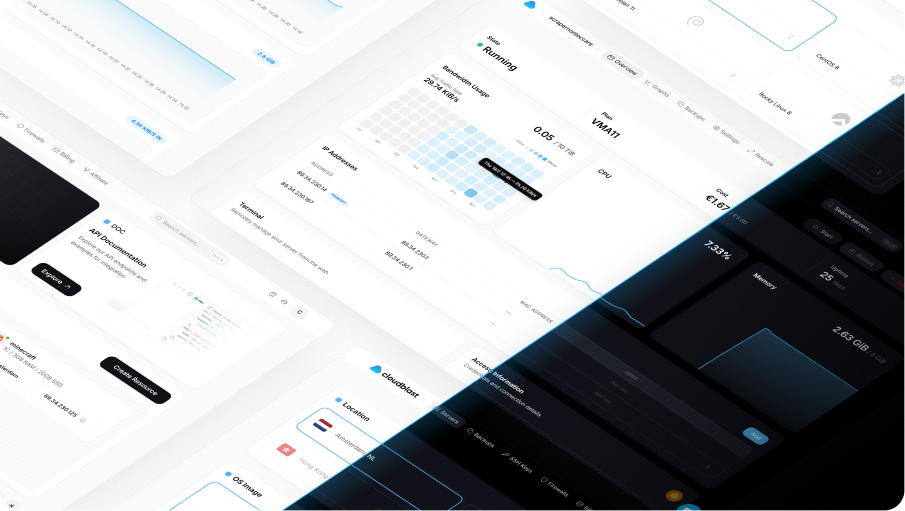
Entry plan: VMA11, 1 AMD EPYC core, 3 GB RAM, 20 GB NVMe, €3.60/mo or €0.0058/h, roughly $4.
The pitch in this bracket is narrow and specific: the €3.60 plan runs the same platform as our €79 plan. AMD EPYC, NVMe storage, a 10 Gbps port, always-on DDoS mitigation with up to 2.5 Tbps of scrubbing capacity included. There is no budget tier on older silicon, because there is only one tier of hardware and eight sizes of it.
That matters most exactly here. The under-$5 bracket is where "1 vCPU" most often means a slice of an aging Intel core and "SSD" most often means SATA, and a sysbench run comparing this plan against a similarly priced one elsewhere is usually not close. That 10 Gbps port comes with 5 TB of traffic a month on this plan in Amsterdam, Salt Lake City and Birmingham, which at this price point is the specification most people do not believe until they test it. Hong Kong is capped lower, at 500 GB on this plan.
Billing is hourly at €0.0058/h with a monthly cap, so testing us costs half a cent an hour and there is no prepay, no setup fee and no minimum term. The price does not change at renewal. Add-ons are priced plainly: backups €0.09/GB, block storage €0.15/GB, extra IPv4 €2.50/mo.
What we like: EPYC and NVMe at a budget price, 10 Gbps with 5 TB included, DDoS included, no renewal increase, hourly billing so trying it is nearly free, one-click images for the usual self-hosted stack.
What to watch: 3 GB of RAM is generous for the price and not the most on this list, Contabo gives 8 GB for $4.95. Four regions, not thirty. Shared vCPU, like everything else in this bracket.
2. Contabo
Best for: the most RAM and disk anyone sells under $5, by a wide margin.
Cloud VPS 10 is 3 vCPU, 8 GB of RAM and 75 GB of NVMe for $4.95/mo. There is no comparable offer anywhere on this list or off it. For a self-hosted suite, a staging environment, a media library or anything that wants memory more than it wants speed, Contabo is the correct answer and it is not particularly close.
The compromises are consistent and openly discussed by their own users: a 200 Mbit port, aggressively shared disk I/O, email-only support with multi-day responses, no hourly billing, and setup fees on some billing terms. Renewal pricing does not increase, which in this bracket earns real credit.
What we like: unmatched RAM and storage per dollar, stable renewal pricing, free IPv4, wide location list including three US cities.
What to watch: 200 Mbit port, variable I/O under contention, monthly commitment only, slow support, occasional setup fees.
3. OVHcloud
Best for: a cheap European box with unmetered traffic and no possibility of an overage bill.
Around $4.20/mo gets 1 vCPU, 2 GB of RAM and 20 GB of SSD, with unmetered traffic. OVHcloud owns its data centres and its network, which is why unmetered is possible at this price, and its VPS pricing has been notably stable while others moved during 2026.
The port is the limitation: entry tiers run 100 Mbit to a few hundred, so the ceiling is set by speed rather than by a counter. The panel is dense and slow, provisioning is not instant, and there is no hourly billing on the VPS line. For a small European production box that runs continuously, none of that matters much.
What we like: unmetered traffic with no overage possible, owns its infrastructure, stable pricing, strong EU compliance posture.
What to watch: narrow port, clunky control panel, no hourly billing, support quality varies by region.
4. Vultr
Best for: a $2.50 box in a specific city, as long as you know exactly what $2.50 buys.
Vultr's Regular Performance tier starts at $2.50/mo for 1 vCPU, 512 MB of RAM and 10 GB of storage, across more than thirty locations. The location list is the reason to be here, and it is a genuinely useful reason if you need a presence somewhere unusual.
Be clear about the hardware. Regular Performance is shared Intel with SATA SSDs, a different machine from the High Performance and High Frequency tiers that start around $6 on AMD EPYC with NVMe. At 512 MB of RAM this is a monitoring node, a jump host or a small VPN endpoint rather than an application server. Hourly billing with a 672-hour monthly cap makes it easy to test, which is the right way to settle whether it is enough.
What we like: more than thirty locations, hourly billing with a cap, easy to scale up to better tiers in the same panel.
What to watch: 512 MB is very tight in 2026, SATA SSDs on this tier, small bandwidth allowance with billed overage.
5. DigitalOcean
Best for: the cheapest way into a platform you plan to grow inside.
The $4 Basic Droplet is 1 vCPU, 512 MB of RAM and 10 GB of storage, and on specifications alone it is poor value against everything above it here. It earns its place for a different reason: it is the entry point to managed Postgres, Spaces, App Platform, per-second billing and the best documentation in the industry.
If you are learning, prototyping, or building something you expect to grow into managed services, starting on the platform you will end up on avoids a migration later. If you want the most machine for four dollars, this is the wrong list position and you should read entries one to three again.
What we like: per-second billing, pooled transfer, path into managed services, unmatched documentation and tutorials.
What to watch: 512 MB and 10 GB is thin for the money, egress overage at $0.01/GiB, the platform gets expensive quickly as you scale.
6. RackNerd
Best for: the lowest effective monthly price that exists, if annual prepay is acceptable.
Around $11.29 a year for 1 vCPU, 1 GB of RAM, 21 GB of SSD and 1.5 TB of transfer works out to roughly $0.94 a month, across a wide list of US and international locations. The promotional rate locks in at renewal as long as service is continuous, which is unusually honest for this end of the market.
What you are buying is a box that stays up. No hourly billing, no API worth automating, no expectation of a fast support response, and nodes that are packed. For a monitoring node, a VPN endpoint, secondary DNS or an off-site backup target, it is exactly right. Anything with revenue attached belongs somewhere else, and paying twelve months up front for a host you have not tested is a bet.
What we like: genuinely locked renewal pricing, the lowest effective monthly cost here, many locations, KVM virtualisation.
What to watch: annual prepay only, oversold nodes, minimal support, no automation story.
7. CloudCone
Best for: cheap Los Angeles boxes with hourly billing, if you shop the promotions carefully.
CloudCone sells hourly-billed instances out of Los Angeles from around $3/mo, along with a steady stream of promotional plans that are cheaper still. Hourly billing at this price point is unusual and genuinely useful, since it means you can test the node before committing.
The catch is that the promotional plans and the standard plans behave differently at renewal, and the terms vary by campaign. Read the specific offer rather than the brand. Performance is acceptable for the price and varies with node contention, the panel is functional, and the location list is short.
What we like: hourly billing on a budget host, Los Angeles latency to the western US and APAC, frequent promotions, prepaid credit model.
What to watch: renewal terms differ by promotion, single primary location, variable performance, thin support.
8. GreenCloud
Best for: cheap plans in Asia-Pacific locations, where cheap is harder to come by.
GreenCloud sells KVM plans from around $3/mo across a location list that includes several APAC cities, with NVMe on some tiers and unmetered traffic on selected plans. In a region where transit costs push everyone's prices up, that combination is worth knowing about.
Terms vary plan by plan more than at most hosts, so compare individual plan pages rather than the brand. Performance is fine for the price, support is budget-tier, and there is no serious automation story. Treat it as a bandwidth-and-location product rather than a compute platform.
What we like: APAC locations at low prices, unmetered options on selected plans, NVMe on some tiers, frequent promotions.
What to watch: terms differ by plan, variable performance, budget support, no meaningful API.
9. VirMach
Best for: the absolute floor of the market, for workloads where downtime is an inconvenience rather than a problem.
VirMach sells annual plans that can work out near a dollar a month, and has done so for years. If your requirement is a cheap IP address in a specific place, running something you would not miss for a day, this is the category leader on price and nothing else.
Set expectations accordingly. Node migrations, occasional extended downtime, minimal support and long-running stock issues are all part of the documented experience. This is not a criticism of the product so much as a description of what a dollar a month can be. Never put anything on it that you cannot rebuild from scratch in an hour.
What we like: the lowest prices in the market, locked annual rates, a wide set of locations, an operator that has been around a long time.
What to watch: reliability is not the selling point, support is minimal, annual prepay, stock and provisioning delays.
10. Hostinger
Best for: beginners who want a friendly panel and a managed feel, if you price in the renewal.
Hostinger's VPS plans advertise around $4.99/mo for 1 vCPU, 4 GB of RAM and NVMe storage, with a genuinely good onboarding experience, an AI assistant in the panel and one-click installs that work. For someone deploying a first server, that polish has real value.
The number to write down is the renewal. The $4.99 rate requires a long commitment and typically renews at around $8.99 or more, which moves this plan out of the under-$5 bracket entirely in month thirteen. That is not hidden, and it is easy to miss. Judge it at the renewal price, where the competition looks very different.
What we like: excellent onboarding and panel, NVMe storage, generous RAM on the advertised tier, strong one-click app catalogue.
What to watch: renewal pricing roughly doubles, best rates need multi-year prepay, performance is average for the specification, upsells throughout checkout.
The Renewal Trap
This is the one thing to internalise about the budget bracket. Three pricing models exist and only one of them is a price.
Locked rate. What you pay now is what you pay forever, or at least until a general repricing. CloudBlast, Contabo, OVHcloud, RackNerd and the mainstream clouds work this way.
Introductory rate. A discount for the first term, then the standard rate. Common across hosts that came from the shared hosting market, where roughly doubling at renewal is normal practice. Hostinger's move from about $4.99 to about $8.99 is typical rather than unusual.
Promotional plan. A specific limited offer with its own terms, often locked as long as service is continuous. Common at CloudCone, GreenCloud, VirMach and RackNerd. The lock is usually real and the plan usually cannot be modified without losing it.
The arithmetic that matters is three years, not one month. A locked $4 plan is $144 over three years. A $2.50 introductory rate that renews at $9 is $30 plus $216, which is $246. The cheaper plan costs 70% more, and it was cheaper on the day you bought it.
What Under $5 Actually Buys
Reasonable expectations, so a cheap box is a good decision rather than a disappointment.
What works well. A small WordPress site or static frontend, a personal VPN endpoint, a monitoring node, secondary DNS, a Discord or Telegram bot, a git remote, an off-site backup target, a small API with modest traffic, a development or staging box, a CI runner on hourly billing.
What is marginal. A production database with real write volume, a Node or Python app with a local Postgres on 1 GB of RAM, a Nextcloud instance for more than a couple of users, a game server for more than a handful of players, anything doing image or video processing.
What does not work. A busy e-commerce site, anything CPU-bound and sustained, a Kubernetes control plane, an application that needs consistent p99 latency, a mail server on an IP whose reputation you did not choose.
The RAM figure is usually what decides it. Under 1 GB you are managing swap, which on shared storage is slow. From 2 to 3 GB most single applications are comfortable. At 4 GB and up you can run an app and its database on the same box without thinking hard about it.
How to Test a Cheap VPS in Ten Minutes
Oversold nodes are the defining risk in this bracket, and they are easy to detect. On a host with hourly billing this costs about a cent.
# Steal time is the tell: cycles taken by other tenants on your core
vmstat 1 30        # watch the "st" column, anything sustained above 5% is contention
top                # %st on the CPU line

# What silicon did you actually get
lscpu | grep -E "Model name|MHz"

# Single-core CPU throughput, the number worth comparing between hosts
sysbench cpu --cpu-max-prime=20000 --threads=1 run

# Disk: cheap plans are where SATA gets sold as SSD
fio --name=randrw --ioengine=libaio --direct=1 --bs=4k \
    --iodepth=32 --size=1G --rw=randrw --rwmixread=70 --runtime=60

# Network: confirm the advertised port is the delivered port
iperf3 -c <a nearby public iperf server> -t 30
Run the set three times across a day, including one evening measurement, because contention follows a schedule. Sustained steal time above 5%, random 4k IOPS in the low thousands, or an iperf3 result far under the advertised port all mean the plan is not what the page said. On an hourly host you destroy it and try another. On an annual prepay host you have eleven more months of it, which is the strongest argument for testing before you commit.
Frequently Asked Questions
What is the cheapest VPS that is actually usable in 2026?
CloudBlast's VMA11 at €3.60/mo, on the specific grounds that the hardware is the same AMD EPYC and NVMe platform as the expensive plans, with a 10 Gbps port, 5 TB of traffic and no renewal increase. Contabo's $4.95 tier gives far more RAM on a 200 Mbit port. RackNerd is cheapest in absolute terms at roughly $0.94 a month effective, and is a different class of service.
Are $2 and $3 VPS plans a scam?
Almost never a scam, and frequently a different product from what the buyer imagined. Providers reach those prices by packing nodes, using older hardware and offering minimal support, all of which is fine for a monitoring node or a VPN endpoint and unsuitable for production. The risk is not fraud, it is buying a backup-target-class machine for an application-server job.
How much RAM do I need on a budget VPS?
Under 1 GB you will be relying on swap for most real software. From 2 to 3 GB is comfortable for a single application, a small WordPress site or a self-hosted service. At 4 GB and up you can run an application and its database together. Buy for what you run today, especially with hourly billing, where resizing later is cheap.
Why do cheap VPS plans get slow at night?
Contention. Node neighbours run backups, batch jobs and builds on a schedule, and on an oversold node their peak is your slowdown. Measure steal time with vmstat during your own peak hours rather than at deployment time, since a benchmark run at 3am tells you very little about 8pm.
Is a $5 VPS enough for WordPress?
Yes for most sites, with caveats. A small to medium WordPress site runs comfortably on 2 to 3 GB of RAM with a caching plugin and a sensible PHP-FPM configuration. What decides the experience is disk speed and whether the CPU is contended, not the price. On NVMe with an uncontended core, a $4 box will outperform a $10 box on aging SATA.
Should I pay annually to get the lowest price?
Only after you have tested the host. Annual prepay is how the cheapest effective rates are reached and it is also a twelve-month commitment to a node you have not measured. The sensible sequence is to run a month on hourly or monthly billing, benchmark it properly, and only then commit to a year if the numbers hold.
The Verdict
CloudBlast for EPYC, NVMe and a 10 Gbps port at €3.60/mo with no renewal increase, which is the best hardware per euro in this bracket. Contabo for 8 GB of RAM at $4.95 when the network is not the point. OVHcloud for unmetered European traffic that cannot generate an overage bill. Vultr for a cheap box in an unusual city. RackNerd for the lowest effective monthly price on the boxes that do not matter. Hostinger only if you have written down the renewal price and are still happy.
The rule for the budget bracket is short. Compare renewal prices, check the CPU and the disk before you trust the plan, and never prepay a year for a host you have not benchmarked.