 Discord




'/%3e%3c/g%3e%3cdefs%3e%3clinearGradient%20id='paint0_linear_91_7909'%20x1='2.80579'%20y1='2.93848'%20x2='14.3838'%20y2='4.55824'%20gradientUnits='userSpaceOnUse'%3e%3cstop%20stop-color='%231198B9'/%3e%3cstop%20offset='0.0001'%20stop-color='%230F9DB8'/%3e%3cstop%20offset='1'%20stop-color='%232468C0'/%3e%3c/linearGradient%3e%3c/defs%3e%3c/svg%3e)
'/%3e%3c/g%3e%3cdefs%3e%3clinearGradient%20id='paint0_linear_91_7889'%20x1='4.20874'%20y1='4.40771'%20x2='21.5757'%20y2='6.83736'%20gradientUnits='userSpaceOnUse'%3e%3cstop%20stop-color='%231198B9'/%3e%3cstop%20offset='0.0001'%20stop-color='%230F9DB8'/%3e%3cstop%20offset='1'%20stop-color='%232468C0'/%3e%3c/linearGradient%3e%3c/defs%3e%3c/svg%3e)


















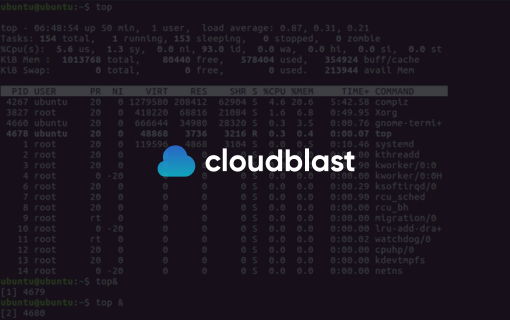
The Linux nohup command is an essential tool for anyone looking to manage processes effectively on a Unix-based system. This guide will dive deep into what nohup is, how it works, and how CloudBlast can assist you in utilizing this command for optimal server performance and management.
What is the nohup Command?
The nohup command, short for "no hang up," allows processes to continue running in the background even after the user has logged out. This is particularly useful for long-running scripts or commands that need to persist beyond the current session.
How Does nohup Work?
When you run a command with nohup, it ignores the HUP (hangup) signal. This means that if you close your terminal or disconnect from your SSH session, the process will continue to execute. By default, the output is redirected to nohup.out, but you can specify a different file if needed.
Basic nohup Syntax
To use nohup, simply prepend it to your command:
nohup your-command &
your-command: Replace this with the command you wish to run.&: This symbol is used to run the command in the background.
Key Benefits of Using nohup
- Persistence: Ensures critical processes continue without interruption, essential for tasks that require extended periods to complete.
- Flexibility: Allows users to log out of the system while keeping tasks running, freeing up resources and facilitating multitasking.
- Output Management: Automatically redirects output to a file, making it easy to review logs and troubleshoot if necessary.
Practical Use Cases
- System Updates and Backups: Run updates or backup scripts that may take a long time without needing active supervision.
- Data Processing: Execute data-intensive scripts that need to run continuously, such as data migration or analysis tasks.
- Server Management: Manage server tasks remotely, ensuring they continue even if the connection is lost.
How CloudBlast Enhances Your Use of nohup
CloudBlast offers powerful server management solutions that complement the use of the nohup command. By leveraging CloudBlast’s platform, you can efficiently manage and monitor background processes with ease.
- Automated Monitoring: Keep track of running processes with CloudBlast's real-time monitoring tools, ensuring that your tasks are proceeding as expected.
- Resource Optimization: Optimize server resources to ensure that your background processes run smoothly without affecting other applications.
- Comprehensive Reporting: Access detailed reports on process performance and output, helping you make informed decisions about resource allocation and task management.
Conclusion
The nohup command is a vital tool for anyone managing processes on a Linux system. By ensuring that tasks continue running even after logging out, it offers unmatched flexibility and efficiency. Enhance your server management capabilities with CloudBlast and take full advantage of the nohup command for seamless process management. Explore CloudBlast's solutions today and ensure your Linux processes run smoothly and efficiently, no matter where you are.


